> ## Documentation Index
> Fetch the complete documentation index at: https://docs.chainlit.io/llms.txt
> Use this file to discover all available pages before exploring further.
# Multi-Modality
The term 'Multi-Modal' refers to the ability to support more than just text, encompassing images, videos, audio and files.
## Voice Assistant
Chainlit let's you access the user's microphone audio stream and process it in real-time. This can be used to create voice assistants, transcribe audio, or even process audio in real-time.
The user will only be able to use the microphone if you implemented the
[@cl.on\_audio\_chunk](/api-reference/lifecycle-hooks/on-audio-chunk) decorator.
Cookbook example showcasing how to use Chainlit with realtime audio APIs.
Cookbook example showcasing speech to text -> answer generation -> text to speech.
## Spontaneous File Uploads
Within the Chainlit application, users have the flexibility to attach any file to their messages. This can be achieved either by utilizing the drag and drop feature or by clicking on the `attach` button located in the chat bar.
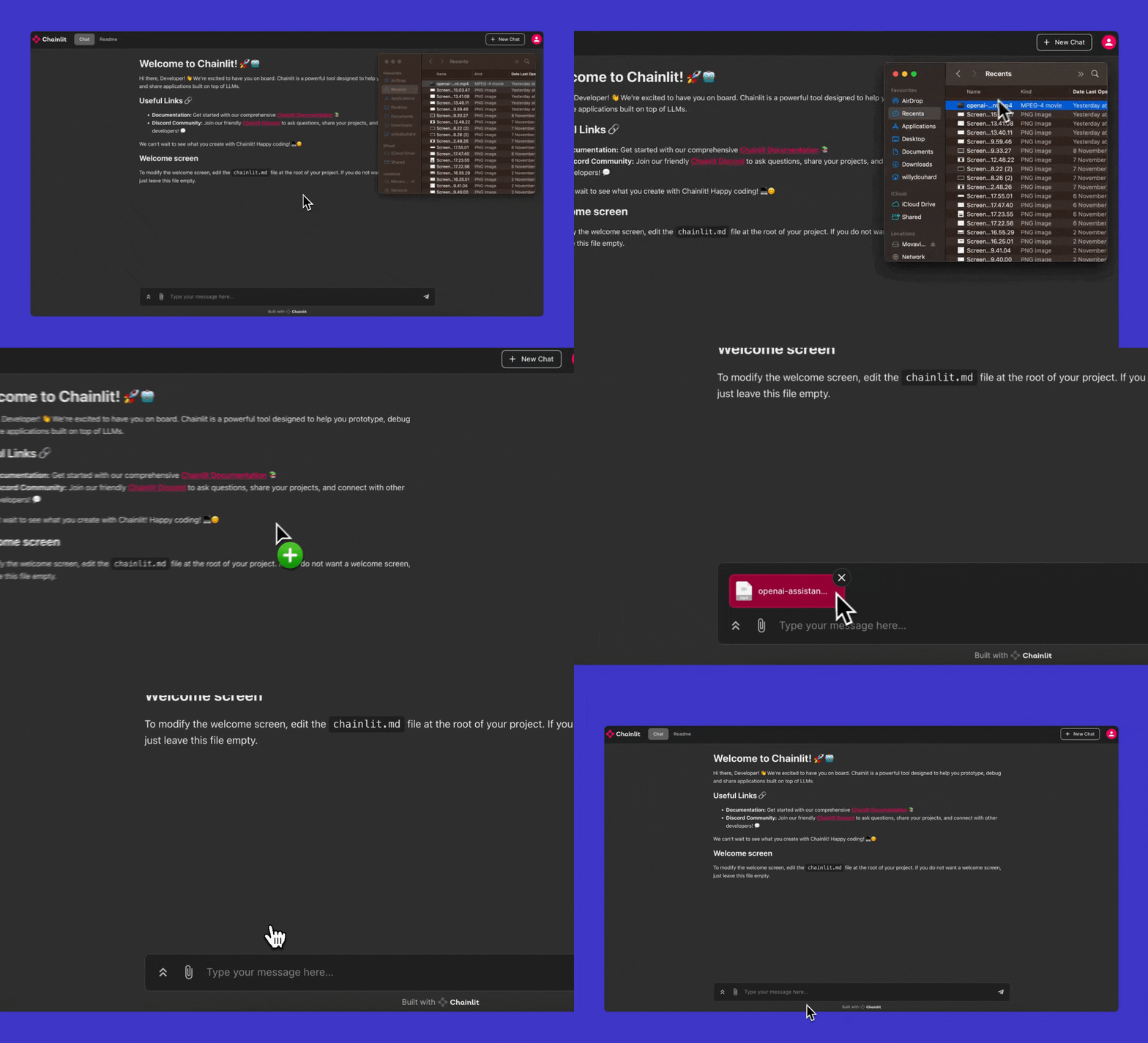 As a developer, you have the capability to access these attached files through the [cl.on\_message](/api-reference/lifecycle-hooks/on-message) decorated function.
```py theme={null}
import chainlit as cl
@cl.on_message
async def on_message(msg: cl.Message):
if not msg.elements:
await cl.Message(content="No file attached").send()
return
# Processing images exclusively
images = [file for file in msg.elements if "image" in file.mime]
# Read the first image
with open(images[0].path, "r") as f:
pass
await cl.Message(content=f"Received {len(images)} image(s)").send()
```
### Disabling Spontaneous File Uploads
If you wish to disable this feature (which would prevent users from attaching files to their messages), you can do so by setting `features.spontaneous_file_upload.enabled=false` in your Chainlit [config](/backend/config/features) file.
As a developer, you have the capability to access these attached files through the [cl.on\_message](/api-reference/lifecycle-hooks/on-message) decorated function.
```py theme={null}
import chainlit as cl
@cl.on_message
async def on_message(msg: cl.Message):
if not msg.elements:
await cl.Message(content="No file attached").send()
return
# Processing images exclusively
images = [file for file in msg.elements if "image" in file.mime]
# Read the first image
with open(images[0].path, "r") as f:
pass
await cl.Message(content=f"Received {len(images)} image(s)").send()
```
### Disabling Spontaneous File Uploads
If you wish to disable this feature (which would prevent users from attaching files to their messages), you can do so by setting `features.spontaneous_file_upload.enabled=false` in your Chainlit [config](/backend/config/features) file.