Documentation Index

Fetch the complete documentation index at: https://docs.chainlit.io/llms.txt

Use this file to discover all available pages before exploring further.

The ChatSettings class is designed to create and send a dynamic form to the UI. This form can be updated by the user.

Attributes

inputs
List[InputWidget]
The fields of the form. Mutually exclusive with tabs — use one or the other.
tabs
List[Tab]
Group inputs into named tabs. Each Tab has an id, a label, and its own list of inputs. Mutually exclusive with the top-level inputs list.

Methods

send()

Sends the settings form to the UI and commits the current values into the session (session.chat_settings). Use this when initializing settings or when you want to update both the UI and the committed session state.

refresh()

Pushes the settings form to the UI without updating the committed session settings. This is useful inside @cl.on_settings_edit when you want to dynamically update the available widgets (e.g., show/hide fields based on a selection) without treating the edit as a confirmed change.
Since version 2.11.0.

Usage

import chainlit as cl
from chainlit.input_widget import Select, Switch, Slider


@cl.on_chat_start
async def start():
    settings = await cl.ChatSettings(
        [
            Select(
                id="Model",
                label="OpenAI - Model",
                values=["gpt-3.5-turbo", "gpt-3.5-turbo-16k", "gpt-4", "gpt-4-32k"],
                initial_index=0,
            ),
            Switch(id="Streaming", label="OpenAI - Stream Tokens", initial=True),
            Slider(
                id="Temperature",
                label="OpenAI - Temperature",
                initial=1,
                min=0,
                max=2,
                step=0.1,
            ),
            Slider(
                id="SAI_Steps",
                label="Stability AI - Steps",
                initial=30,
                min=10,
                max=150,
                step=1,
                description="Amount of inference steps performed on image generation.",
            ),
            Slider(
                id="SAI_Cfg_Scale",
                label="Stability AI - Cfg_Scale",
                initial=7,
                min=1,
                max=35,
                step=0.1,
                description="Influences how strongly your generation is guided to match your prompt.",
            ),
            Slider(
                id="SAI_Width",
                label="Stability AI - Image Width",
                initial=512,
                min=256,
                max=2048,
                step=64,
                tooltip="Measured in pixels",
            ),
            Slider(
                id="SAI_Height",
                label="Stability AI - Image Height",
                initial=512,
                min=256,
                max=2048,
                step=64,
                tooltip="Measured in pixels",
            ),
        ]
    ).send()


@cl.on_settings_update
async def setup_agent(settings):
    print("on_settings_update", settings)

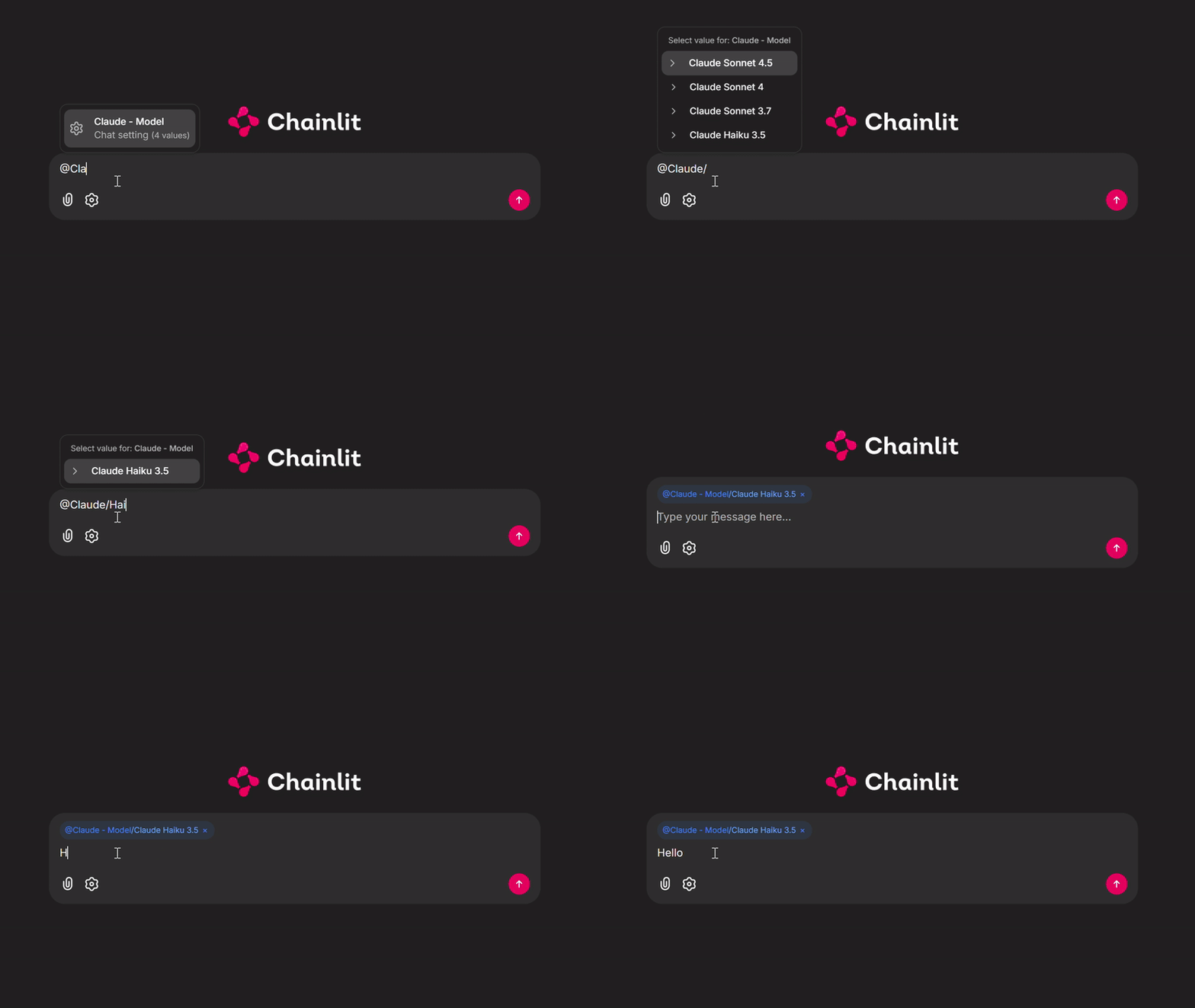
You can also access the Chainlit chat settings using a combination of the @ and / commands. Using @, you can trigger the chat settings Select input, and using /, you can choose the selected setting’s input values.

Single Select option Type
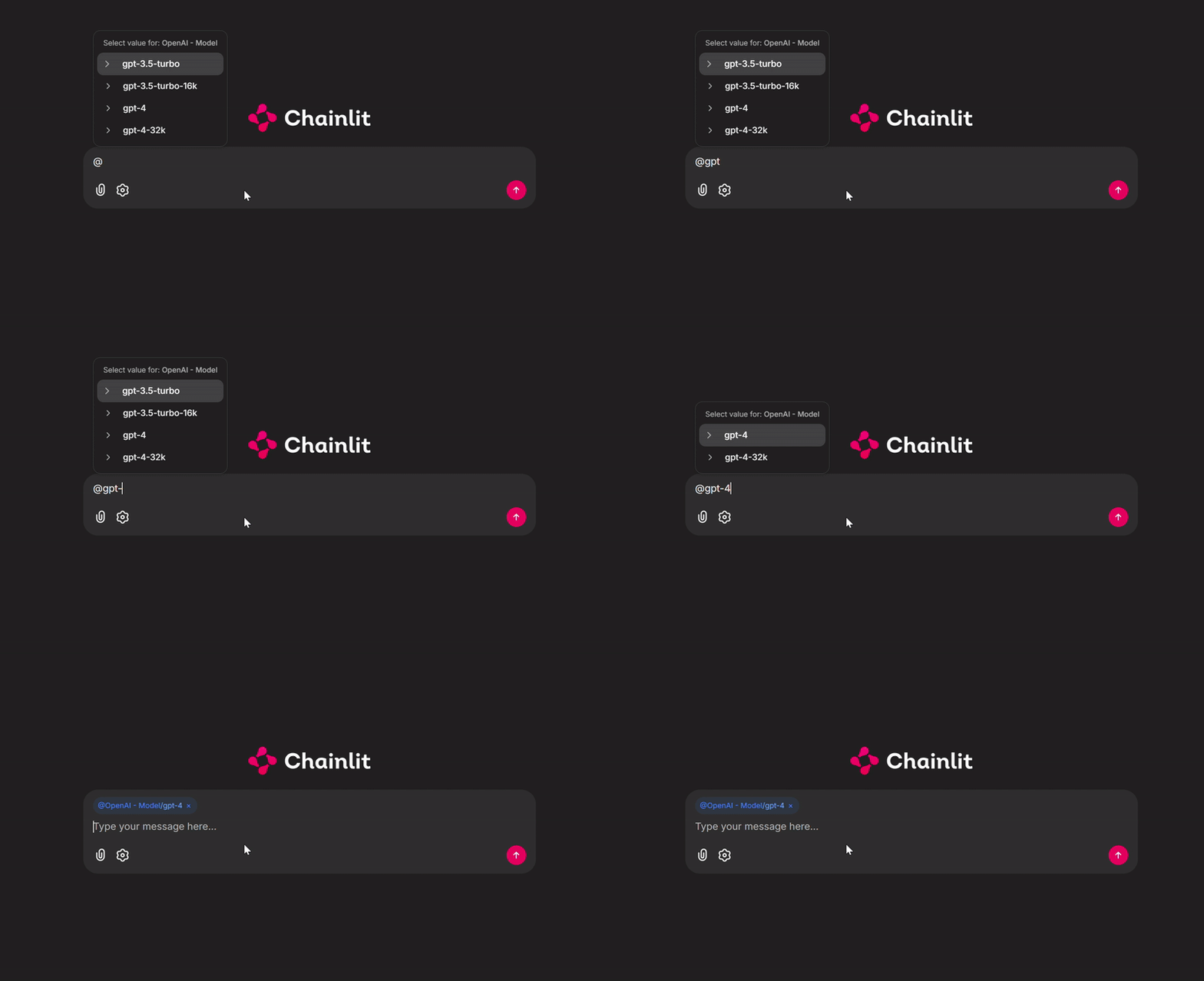
Multi Select option Type

Dynamic Widget Refresh

Use refresh() inside @cl.on_settings_edit to update the form dynamically as the user edits, without committing changes to the session. The committed session settings only change when the user confirms (triggers @cl.on_settings_update).
import chainlit as cl
from chainlit.input_widget import Select, Slider


@cl.on_chat_start
async def start():
    await cl.ChatSettings(
        [
            Select(
                id="Mode",
                label="Mode",
                values=["simple", "advanced"],
                initial_index=0,
            ),
            Slider(
                id="Temperature",
                label="Temperature",
                initial=0.7,
                min=0,
                max=2,
                step=0.1,
            ),
        ]
    ).send()


@cl.on_settings_edit
async def on_edit(settings):
    inputs = [
        Select(
            id="Mode",
            label="Mode",
            values=["simple", "advanced"],
            initial_value=settings["Mode"],
        ),
        Slider(
            id="Temperature",
            label="Temperature",
            initial=settings.get("Temperature", 0.7),
            min=0,
            max=2,
            step=0.1,
        ),
    ]
    if settings["Mode"] == "advanced":
        inputs.append(
            Slider(
                id="TopP",
                label="Top P",
                initial=settings.get("TopP", 0.9),
                min=0,
                max=1,
                step=0.05,
            )
        )
    await cl.ChatSettings(inputs).refresh()


@cl.on_settings_update
async def on_update(settings):
    print("Confirmed settings:", settings)
Since version 2.11.0.

Tabs

Use Tab to group settings into named tabs when you have many inputs across distinct categories.
import chainlit as cl
from chainlit.input_widget import Select, Slider, Tab


@cl.on_chat_start
async def start():
    settings = await cl.ChatSettings(
        tabs=[
            Tab(
                id="llm",
                label="LLM",
                inputs=[
                    Select(
                        id="Model",
                        label="Model",
                        values=["gpt-4o", "gpt-4o-mini", "gpt-4-turbo"],
                        initial_index=0,
                    ),
                    Slider(
                        id="Temperature",
                        label="Temperature",
                        initial=0.7,
                        min=0,
                        max=2,
                        step=0.1,
                    ),
                ],
            ),
            Tab(
                id="image",
                label="Image",
                inputs=[
                    Slider(
                        id="Width",
                        label="Image Width",
                        initial=512,
                        min=256,
                        max=2048,
                        step=64,
                    ),
                    Slider(
                        id="Height",
                        label="Image Height",
                        initial=512,
                        min=256,
                        max=2048,
                        step=64,
                    ),
                ],
            ),
        ]
    ).send()


@cl.on_settings_update
async def setup_agent(settings):
    print("on_settings_update", settings)
Since version 2.9.1.